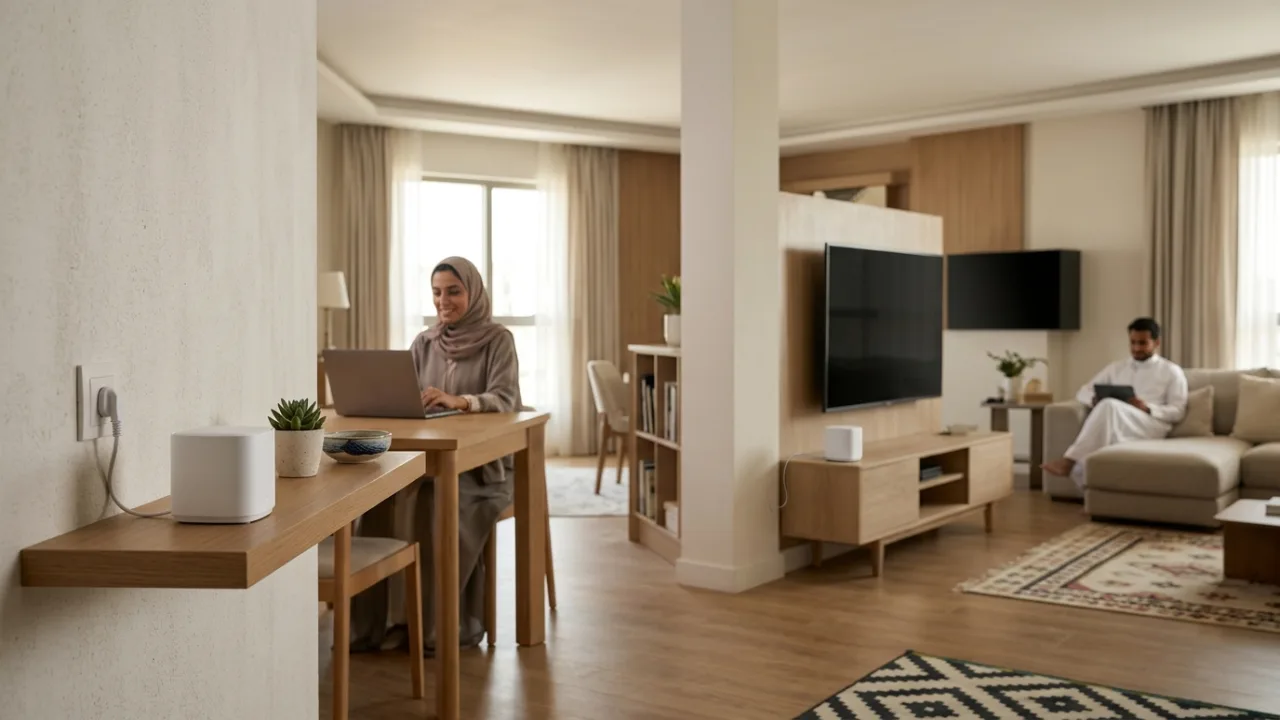
Weak coverage upstairs may be an in-home Wi-Fi problem rather than a Salam plan issue. Mesh, extenders and access points solve different layout problems, with different wiring and performance trade-offs.
Improve device placement first. If an internet plan change is still justified, compare Salam plans and check availability.
- The Whole-Home Coverage Dilemma: Physical Constraints Governing Standalone Gateways
- Traditional Range Extenders (Repeaters): Inherent Flaws and Half-Duplex Penalties
- Mesh Wi-Fi Systems: Decentralized Coordination for Modern Connected Households
- Dedicated Wired Access Points (APs): Enterprise-Grade Throughput and PoE Cleanliness
- Backhaul Architecture: The Decisive Contrast Between Wireless and Ethernet Links
- Seamless Roaming Standards (802.11k/v/r): Eliminating Voice and Video Call Dropping
- Strategic Placement Across Saudi Architecture (Reinforced Concrete, Stairwells, and Annexes)
- The Fiber-to-the-Room (FTTR) Benchmark: When Transparent Glass Fiber Becomes the Definitive Solution
- Comprehensive Decision Matrix: Technical and Financial Architecture Comparison
- Common Home Networking Mistakes and How to Avoid Them
1. The Whole-Home Coverage Dilemma: Physical Constraints Governing Standalone Gateways#
Subscribers frequently assume that dead zones reflect inadequate transmission power in carrier-provided gateways. From a regulatory perspective, all consumer wireless transmitters operate under strictly enforced Equivalent Isotropically Radiated Power (EIRP) ceilings mandated by telecommunications authorities worldwide, including the Saudi Communications, Space and Technology Commission (CST). No commercial router can legally broadcast beyond these health and safety power caps.
When these transmission limits interact with Saudi residential construction—characterized by heavy reinforced concrete pillars, solid masonry blockwork, and metallic Low-E double glazing—high-frequency wireless waves (especially 5 GHz and 6 GHz spectrum) suffer catastrophic signal attenuation after penetrating only one or two structural partitions. Furthermore, Wi-Fi communication is bidirectional: even if a high-gain gateway projects a readable beacon toward a distant smartphone, the phone's miniaturized internal antenna and battery-conserving transmission circuits cannot reliably return data packets back to the gateway.
Consequently, delivering reliable multi-room coverage across properties exceeding 250 square meters requires a distributed multi-node architecture rather than a single overpowered gateway.
2. Traditional Range Extenders (Repeaters): Inherent Flaws and Half-Duplex Penalties#
A traditional range extender (repeater) is a compact plug-in wall unit. Its operational premise is straightforward: it listens over the air for the gateway's broadcast signal, captures incoming data packets, and retransmits them wirelessly into adjacent dead zones.
Structural Engineering Flaws of Repeaters:#
- The 50% Throughput Penalty (Half-Duplex Radio Halving): Because low-cost repeaters utilize a single half-duplex radio transceiver, they cannot transmit and receive simultaneously on the same channel. The extender spends half its airtime receiving packets from the gateway, and the remaining half retransmitting them to your laptop. Throughput drops by at least 50% immediately upon connecting through a repeater.
- The Placement Paradox: Users typically install extenders directly inside the dead zone where their phones show poor signal. In that location, the extender itself receives a corrupted, low-throughput signal, amplifying background noise rather than usable broadband capacity.
- SSID Proliferation and Connection Stagnation: Repeaters conventionally establish secondary networks with distinct names (e.g.,
Home_EXT). As users walk through the home, client devices cling stubbornly to the primary router until the connection completely fails before manually reconnecting to the repeater network. - Lack of Fast Roaming: Repeaters do not support coordinated 802.11k/v/r handoffs, guaranteeing that active VoIP and video calls drop during room-to-room transit.
Traditional extenders represent an inexpensive stopgap for isolated low-bandwidth tasks, but they cannot deliver modern high-performance broadband.
3. Mesh Wi-Fi Systems: Decentralized Coordination for Modern Connected Households#
Mesh Wi-Fi architectures replace the isolated repeater model with a unified constellation of coordinated nodes governed by a centralized software controller:
- Single Unified SSID: All mesh nodes broadcast an identical network identifier across both 2.4 GHz and 5 GHz bands, presenting a seamless wireless environment.
- Dynamic Topology Management: Mesh nodes maintain continuous telemetry with one another. If an intermediate node experiences localized RF interference, the mesh mesh controller dynamically reroutes data packets across alternative operational nodes (self-healing).
- Proactive Client Steering: The system monitors signal metrics (RSSI) across all active clients, automatically initiating coordinated handoffs when a user moves toward an adjacent node.
- Dedicated Tri-Band Backhaul: High-performance tri-band mesh systems incorporate a secondary 5 GHz or 6 GHz radio channel dedicated exclusively to node-to-node backhaul communication, preserving the entire client-facing frequency band for end-user devices.
4. Dedicated Wired Access Points (APs): Enterprise-Grade Throughput and PoE Cleanliness#
Dedicated wired Access Points (APs) represent the architectural standard deployed across commercial headquarters, luxury hotels, and modern custom-wired smart residences:
- Physical Architecture: Every standalone access point connects directly to the central core router or a Power over Ethernet (PoE) network switch via dedicated Cat6 or Cat6a cabling. The AP receives an uncompromised multi-gigabit wired data stream and converts it locally into pristine wireless coverage.
- Power over Ethernet (PoE): Enterprise APs (such as units from Ubiquiti UniFi, Cisco Meraki, or Aruba) draw their electrical power directly through the twisted-pair Ethernet cable, eliminating the need for unsightly electrical outlets and enabling ceiling-mounted installations.
- Uncompromising Throughput and Latency: Because backhaul communication travels over insulated copper wiring rather than congested radio spectrum, access points deliver 100% of available fiber broadband bandwidth with negligible local latency (< 0.5 ms) and zero inter-node packet loss.
5. Backhaul Architecture: The Decisive Contrast Between Wireless and Ethernet Links#
The foundational metric dictating whole-home networking performance is the Backhaul channel—the transit link connecting secondary distribution nodes back to the core internet gateway:
- Wireless Backhaul: Utilized by standard off-the-shelf mesh kits. Nodes exchange data through the air. Performance depends heavily on inter-node distance and physical building materials. If a mesh satellite is separated from the primary hub by a structural concrete ceiling, wireless backhaul throughput degrades sharply, limiting client speeds regardless of device proximity to the satellite.
- Ethernet Backhaul: The gold standard of domestic networking. Coordinated mesh nodes or dedicated APs interconnect via physical Cat6 cabling running through internal conduits. In this configuration, wireless degradation between nodes is entirely eliminated.
If your residential property features structured wall cabling with RJ45 ports, enabling wired Ethernet backhaul across your mesh system will yield a tenfold increase in speed and stability compared to wireless mesh.
6. Seamless Roaming Standards (802.11k/v/r): Eliminating Voice and Video Call Dropping#
In uncoordinated networks, client hardware suffers from "sticky client syndrome"—where a smartphone stubbornly clings to a weak 5% signal from the living room gateway rather than connecting to an adjacent node in the bedroom.
Modern mesh systems and managed APs resolve this through IEEE standard protocols:
- 802.11k (Radio Resource Measurement): The network maintains an updated neighbor report of adjacent access points, allowing client hardware to discover candidate roaming targets instantly without performing slow full-band channel scans.
- 802.11v (Wireless Network Management): Enables the infrastructure to send transition requests to client hardware, prompting it to migrate to a higher-capacity node as signal levels attenuate.
- 802.11r (Fast BSS Transition): Pre-negotiates cryptographic security handshakes before the client disassociates from its current node, reducing the physical handoff window to under 30 milliseconds. Active Microsoft Teams conferences and online gaming sessions transition without perceptible delay or packet loss.
7. Strategic Placement Across Saudi Architecture (Reinforced Concrete, Stairwells, and Annexes)#
Multi-story villas across Saudi metropolitan areas (Riyadh, Jeddah, Dammam, Khobar) span 350 to 800+ square meters across multiple levels of heavy reinforced concrete. To optimize performance, apply these architectural placement rules:
- Leverage the Central Stairwell Void: The interior stairwell represents the only unobstructed vertical line of sight connecting multiple floors. Positioning a primary node at the ground-floor stair base and a secondary satellite on the first-floor landing provides an optimal wireless transmission bridge when wall Ethernet cabling is unavailable.
- Avoid Enclosed Storage, Metal Cabinets, and Mirrors: Install nodes in open central hallways on elevated consoles rather than inside recessed metal patch boxes, behind decorative mirrors, or underneath heavy wooden furniture.
- Exterior Majlis and Garden Annexes: Exterior residential annexes (such as a detached courtyard majlis or driver room) require dedicated outdoor-rated Cat6 cabling pulled through exterior conduits to bypass double-glazed Low-E patio doors and solid exterior perimeter blockwork.
Recommended Coverage Architecture by Saudi Property Type#
| Residential Property Layout | Typical Floor Area | Recommended Expansion Architecture | Suggested Node Count & Backhaul Method |
|---|---|---|---|
| Compact Studio / 1-Bedroom Flat | 70 to 130 m² | Primary carrier gateway in central hallway | Single router (no additional extenders needed) |
| Large Family Apartment / Single Floor | 160 to 260 m² | Dual-Band or Tri-Band Wi-Fi 6 Mesh Kit | 2 nodes (Primary in living room, satellite near bedrooms) |
| Two-Story Duplex Villa | 300 to 450 m² | Ethernet-Backhauled Mesh or Ceiling APs | 3 nodes (1 per floor connected via wall Cat6 or stairwell) |
| Large Standalone Villa with Exterior Majlis | 500 to 800+ m² | Wired PoE Access Points or FTTR Optical Nodes | 4 to 5 nodes linked via dedicated copper or glass backhaul |
8. The Fiber-to-the-Room (FTTR) Benchmark: When Transparent Glass Fiber Becomes the Definitive Solution#
As domestic broadband speeds scale toward Gigabit thresholds, traditional wireless repeaters encounter physical limits through concrete walls. Fiber-to-the-Room (FTTR) represents an advanced indoor networking architecture for large residences:
- How FTTR Operates: Certified technicians deploy microscopic, transparent glass fiber micro-cables along baseboards and interior architectural contours without structural masonry drilling. These transparent optical fibers link the primary optical gateway to secondary optical Wi-Fi routers positioned in primary living spaces.
- The FTTR Advantage:
- The backhaul between rooms operates across optical fiber at multi-gigabit capacity, delivering immunity to electrical noise and zero inter-room backhaul packet loss.
- Each covered room receives its own dedicated Wi-Fi 6 optical access point, helping deliver the full capacity of your Salam Fiber subscription directly to local devices with minimal local latency.
9. Comprehensive Decision Matrix: Technical and Financial Architecture Comparison#
To determine the ideal architectural investment for your property and budget, reference this comprehensive comparative analysis:
| Architecture / Dimension | Traditional Range Extender | Mesh Wi-Fi (Wireless Backhaul) | Wired Access Points (AP) | Fiber-to-the-Room (FTTR) |
|---|---|---|---|---|
| Remote Room Speed Retention | 10% to 30% of access line speed | 50% to 80% (Tri-band) | 100% full line speed | 100% full optical gigabit line speed |
| Connection Stability & Latency | High jitter; erratic latency spikes | High stability; modest hop latency | Exceptional stability; sub-ms latency | Pure optical stability; zero interference |
| Roaming / Handoff Quality | Poor; manual network switching | Seamless (802.11k/v/r protocols) | Seamless (managed controller) | Seamless carrier-grade roaming |
| Cabling Requirements | None (plug-in unit) | None required (Ethernet optional) | Structured Cat6 in every room | Transparent optical fiber installation |
| Estimated Upfront Cost | Budget-friendly tier | Moderate mid-tier | Premium structured tier | Subject to package and offer terms |
| Ideal Residential Environment | Compact studio / single room | Mid-sized flats and small villas | Villas with pre-existing wall cabling | Large multi-story villas and estates |
10. Common Home Networking Mistakes and How to Avoid Them#
Maximize network performance by avoiding these frequent configuration errors:
- Over-Densifying Node Count (Node Saturation): Installing five or six mesh nodes in a modest 300-square-meter property creates excessive co-channel interference and constant client roaming oscillation. A standard 400-square-meter villa typically requires only two or three well-positioned nodes.
- Coupling Budget Extenders to High-Speed Fiber: Pairing a low-cost 802.11n plug-in repeater with a high-speed Fiber Broadband (FTTH) gateway introduces an immediate choke point that throttles connected devices down to a fraction of your plan capacity.
- Causing Double NAT When Connecting a Mesh System: When connecting a third-party Mesh main unit to your primary Fiber or HomeFi 5G gateway via Ethernet, leaving both routers in full routing mode creates a "Double NAT" condition that disrupts multiplayer gaming matchmaking and port forwarding. Configure the Mesh system into Access Point (Bridge) Mode so the primary gateway handles IP assignment seamlessly.
- Neglecting Firmware and Security Updates: Mesh systems rely on algorithmic coordination firmware. Maintain automatic updates through the vendor application to ensure security patching and roaming optimization.
Frequently Asked Questions on Mesh Wi-Fi, Extenders, and Access Points#
Can I connect a Mesh Wi-Fi system to a HomeFi 5G router just like a Fiber router?#
Yes. Any standard Mesh Wi-Fi system connects directly to the LAN Ethernet port on the back of a HomeFi 5G or Salam Fiber router. In fact, pairing a Mesh system with a 5G home router is one of the smartest ways to optimize cellular broadband: you can place the 5G router right next to an upstairs window where cellular tower reception is strongest, and let the connected Mesh nodes distribute strong Wi-Fi throughout the ground floor and interior rooms.
How do I know whether I need a Mesh system or a faster Salam internet package?#
Run a speed test while standing two meters away from your main router with no walls in between. If speeds next to the router are fast and match your expectations but drop sharply in bedrooms or upstairs, your broadband plan is fine and you need a Mesh or Access Point expansion. If speeds right next to the router slow down whenever several family members stream or play games at once, review the package comparison page or use the plan chooser to select a higher-bandwidth tier.
Should I set my Mesh Wi-Fi system to Router Mode or Access Point (Bridge) Mode with my Salam gateway?#
Because your primary Salam Fiber or HomeFi 5G gateway already manages external WAN authentication, DHCP IP allocation, and firewall protection, the cleanest engineering practice for most households is configuring the secondary Mesh system into Access Point (Bridge) Mode. This prevents Double NAT conflicts during multiplayer gaming and ensures all devices across your home—whether connected to the primary router or a Mesh node—share a single unified local network for wireless printers, smart TVs, and media casting.
Can I mix Mesh Wi-Fi nodes from different brands on the same home network?#
Although the Wi-Fi Alliance EasyMesh standard exists, mixing hardware from different manufacturers frequently disables proprietary fast-roaming optimizations, unified mobile app management, and dedicated tri-band backhaul steering. For consistent whole-home stability across multiple floors, always deploy a matched multi-node kit from a single product family (such as a unified Wi-Fi 6 three-pack), or install wired Access Points governed by a single hardware controller.
What is the ideal distance between wireless Mesh nodes in a Saudi concrete villa?#
The most common mistake is placing a wireless satellite node directly inside a room that already has zero signal. Instead, position the satellite node halfway between the primary router and the dead zone, where it still receives a strong 65% to 75% signal (-60 dBm to -65 dBm) from the main hub. In reinforced concrete villas, keep wireless hops limited to a single interior partition or align nodes vertically along the open central stairwell.
Strategic Summary and Operational Recommendations#
Overcoming whole-home Wi-Fi limitations requires architectural planning tailored to your property's physical reality:
- For medium apartments seeking rapid wireless expansion without cabling, a Tri-Band Wi-Fi 6 Mesh system delivers outstanding usability.
- For residences featuring pre-installed wall Ethernet ports, deploying wired backhaul across access points or mesh nodes guarantees uncompromising gigabit performance.
- For expansive multi-story Saudi villas, combining the right Salam broadband plan through Tayf Connect with wired access points, Ethernet-backhauled Mesh, or FTTR ensures reliable coverage in every room.
Internal links#
- /compare — Compare Fiber Broadband (FTTH) and 5G package hardware specifications
- /knowledge/router-placement-home-wifi — Router placement and Wi-Fi coverage optimization (K05)
- /knowledge/fttr-whole-home-connectivity — FTTR whole-home optical fiber connectivity (K11)
- /knowledge/wifi-6-vs-6e-vs-7 — Generational differences between Wi-Fi 6, 6E, and 7 (K15)
/how-it-works— Understand installation workflows and hardware deployment
Editorial source review#
All wireless standards, architectural benchmarks, and regulatory compliance parameters are verified against IEEE 802.11k/v/r specifications, Wi-Fi Alliance whole-home certification standards, and Saudi CST telecommunications hardware bylaws. Reviewed and validated by the Tayf Connect engineering desk.