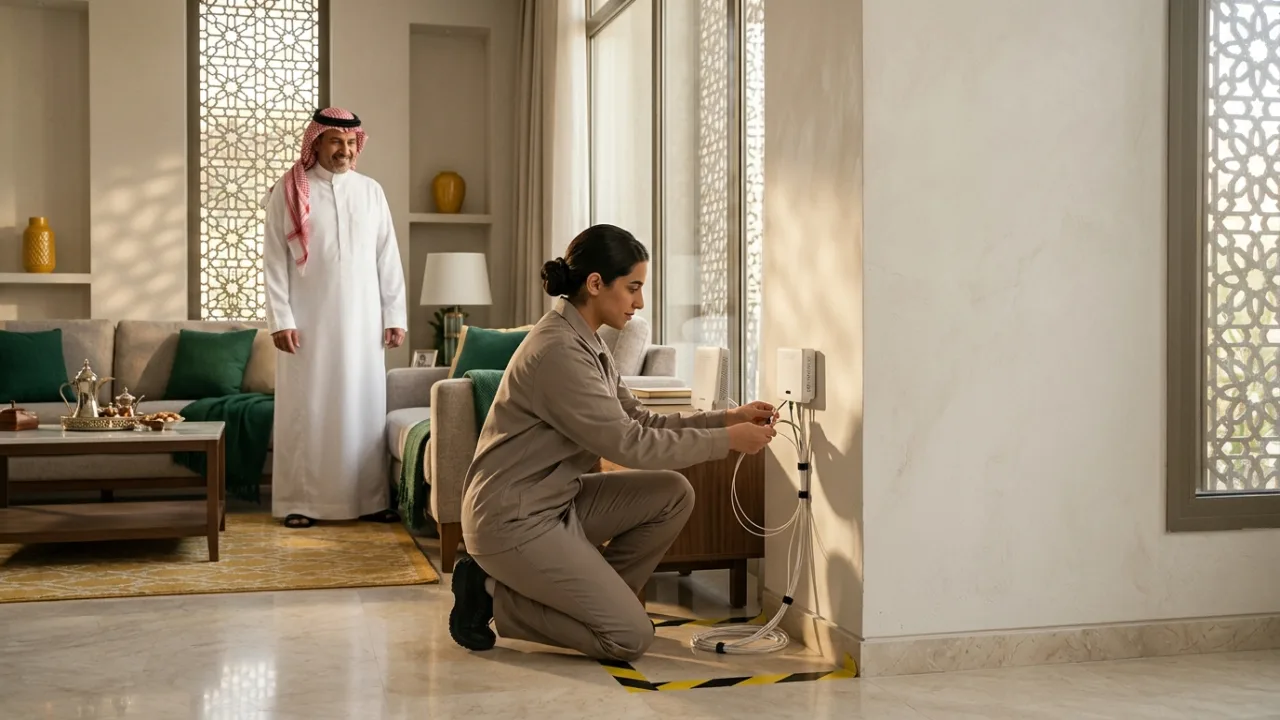
Want Salam Fiber installed at home? First confirm optical network availability at your specific address, then select an eligible plan and review its equipment, installation and commitment terms. The technician appointment and activation depend on the provider's actual process; there is no guaranteed timeline for every building.
Check Salam coverage, explore Fiber plans, and keep your address details ready. Tayf Connect can help explain the next step in your request.
- Coverage and eligibility
- Choosing and understanding the plan
- Preparing order information
- Review and provider handoff
- Appointment communication
- Preparing the home
- Installation day
- Activation and first tests
- Tracking after installation
- Delays and next actions
1. Coverage and eligibility #
Fiber in the neighborhood does not automatically prove that every address or unit is ready. The coverage journey should return an evidence-based state such as available, unavailable, pending verification or insufficient evidence.
2. Choosing and understanding the plan #
Review current price, VAT, promotional period, post-offer pricing where documented, download/upload facts, equipment, commitment, installation fees and eligibility conditions. The customer should understand these before submitting the order.
3. Preparing order information #
Use accurate customer contact information and service address data. Upload only documents that the actual process requires. Sensitive data should never be inserted automatically into WhatsApp messages or casual support channels.
Where legal or commercial acceptance is required, preserve the exact version accepted.
4. Review and provider handoff #
Useful statuses distinguish between received, needs information, under review, handed off, awaiting installation, activated and unable to proceed. A generic “in progress” status is not enough for a trackable customer journey.
5. Appointment communication #
If installation scheduling applies, show whether a date is confirmed, proposed or still awaiting coordination. Never present an estimated date as a guaranteed appointment.
Keep the original order reference and update the existing timeline when dates change.
6. Preparing the home #
Think about router placement before installation. Identify work, gaming and high-use rooms, power availability, large or multi-floor coverage needs, and whether future Mesh/FTTR planning may matter.
7. Installation day #
Field work varies by building and existing infrastructure. The customer can still prepare by being available for access, keeping contact details current, discussing sensible equipment placement and preserving order references.
8. Activation and first tests #
Establish a baseline near the router or over Ethernet where practical before judging performance from a distant room. Then test important rooms and devices. This helps separate access-line issues from Wi-Fi issues.
9. Tracking after installation #
Installation and activation are not necessarily the same state. The customer should know what the current state means, what happens next and where to get help. Support should link back to the existing order context.
10. Delays and next actions #
Delays can come from missing data, location verification, scheduling, site readiness or provider-side processing. Show only documented reasons and ownership. Do not invent service-level promises.
Before installation day: prepare the property #
A good installation starts before the visit. Spend a few minutes deciding where the service should terminate, which rooms contain important devices, and where a cable can realistically run. This reduces the chance that the ONT or router ends up in the easiest location for installation but the worst location for daily use.
Preparation checklist #
- Identify the room or zone that should act as the network center.
- Choose an open router position rather than a closed cabinet.
- Locate nearby power outlets.
- Note any existing conduits or structured cabling.
- In rented or managed buildings, prepare any access arrangements the property requires.
- Have a suitable device ready for post-install testing, ideally with Ethernet capability.
- Do not assume cable route, equipment model or charges are universal; use the current order details.
Separate coverage qualification from physical installation #
A positive availability indication does not mean every field step is already guaranteed. Think of the journey as five layers:
- Address qualification: current data indicates whether service may be available.
- Physical feasibility: building access, distribution point and unit path are checked.
- Cabling and equipment placement: the actual indoor route is implemented.
- Activation: the service is brought online.
- Acceptance testing: access and in-home performance are checked.
Understanding these layers prevents an early status message from being mistaken for a final installation promise.
Seven things to watch during the visit #
1. ONT placement #
Do not choose a position only because it is close to the entrance. Consider power, protection from accidental damage, future access and how the router will connect.
2. Router placement #
If the router is separate from the ONT, think about the rooms that matter. Large homes may benefit from Ethernet, wired access points or another distribution solution from the start.
3. Cable path #
A clean route reduces sharp bends, crushing and accidental damage. Fiber patch cables should not be pulled tight or folded behind furniture.
4. Network credentials #
After activation, record the Wi‑Fi details and, where the equipment policy allows, change default administrative credentials securely.
5. Wired baseline #
An Ethernet test, where practical, gives a clearer access baseline than a Wi‑Fi test taken through several walls.
6. Important-room testing #
Test the work area, main TV, gaming location and a remote room. The goal is to understand indoor coverage before treating it as an access-service problem later.
7. Record what was delivered #
Keep the plan name, installation date, equipment, order references and any conditions actually confirmed during the process.
A post-install acceptance routine #
| Test | Purpose |
|---|---|
| Check ONT/router status indicators | confirms the basic link is active |
| Run an Ethernet test where possible | establishes an access baseline |
| Test Wi‑Fi near the router | checks local wireless under favorable conditions |
| Test priority rooms | exposes coverage gaps |
| Try a real call, stream or game | translates metrics into your actual use case |
| Repeat at a different time | avoids judging the service from one snapshot |
Do not use a single speed-test number as the entire acceptance standard. Upload behavior, stability, important-room coverage and the applications you rely on are part of the experience.
Optical Power Margin and Physical Layer Validation #
During the final physical connection phase, professional fiber technicians use an Optical Power Meter (OPM) to measure optical signal attenuation at the customer optical outlet (SC/APC or SC/UPC connector). In standard Gigabit Passive Optical Network (GPON) architectures operating at downstream wavelengths of 1490 nm and upstream at 1310 nm, received optical power should comfortably reside within the optimal operational window (typically between -8 dBm and -27 dBm).
Excessive signal loss exceeding -28 dBm—often triggered by microscopic dust contamination on the ferrule, micro-bends along drop cable conduits, or suboptimal mechanical splices—can cause intermittent link flappings, silent frame drops, and severe packet retransmissions under heavy traffic loads. Ensuring the field technician verifies and records clean optical signal levels before completing the physical handoff provides durable peace of mind that physical layer transmission integrity is robust.
Common post-install mistakes #
- hiding the router inside furniture for aesthetic reasons;
- changing many settings before recording a baseline;
- testing only with an old client device;
- assuming a weak remote room proves the fiber line is slow;
- using Factory Reset without understanding the provider configuration;
- bending or pinching the optical patch cable while rearranging furniture;
- upgrading the subscription before fixing obvious Wi‑Fi distribution issues.
If installation cannot be completed #
Do not invent the cause. The blocker may involve coverage, the distribution point, building access, the indoor route, order data or a provider process. Before contacting support, collect:
- order reference if available;
- address used for qualification;
- date of the visit;
- a precise description of what was and was not completed;
- any status message received;
- non-sensitive photos of the route or termination area when useful.
Then use /support or 055 993 2537 to describe the case. The objective is accurate routing of the request, not an unsupported installation date or diagnosis.
Design the home network from day one #
For a large property, installation is an opportunity to build a network that remains useful for years. The main TV, gaming station, home office and future access-point locations can benefit from early Ethernet planning. Installing suitable cabling during property preparation is often easier than solving a coverage problem after furniture and finishes are complete.
See K05 for router placement, K17 for Mesh versus access points and K18 for Ethernet versus Wi‑Fi.
Saudi Property Realities: Villas, Apartments, and External Conduits #
How a Salam Fiber installation unfolds on site depends heavily on the physical layout of residential properties in cities such as Riyadh, Jeddah, and Dammam. Preparing for these local building specifics ahead of the technician's visit prevents avoidable delays and leads to a cleaner setup:
- Standalone Villas and Duplexes (Boundary Wall Box to Indoor Pull Box): On most Saudi villas, the external fiber termination box (often accompanied by a small stamped metal plate) is mounted on the outer boundary wall near the electricity meter. From there, the drop fiber cable travels through an underground corrugated conduit beneath the courtyard tiles into an indoor telecommunications pull box on the ground floor. Before installation day, locate your indoor pull box, clear any heavy furniture blocking it, and choose an open, ventilated spot for the ONT and router rather than leaving them enclosed inside a tight metal wall cabinet.
- Multi-Unit Apartment Buildings and Compounds: In apartment buildings, the main optical splitter box is typically housed in a ground-floor utility room, basement, or service shaft. If you live in a managed building or rental apartment, notify the building caretaker (haris) or property management ahead of your appointment so the technician can access the shared telecom room immediately, and keep a clear photo of the building's external fiber plate handy during order verification.
- New Moves vs Furnished Homes (Planning for Majlis and Upstairs Floors): If you are moving into a newly built villa or renovating an apartment, coordinate fiber installation before wall cabinets and decorative panels are sealed. Use existing low-voltage wall conduits to run Cat6 Ethernet lines from the main ONT location to upstairs family lounges and any external majlis or annex so your fiber speed reaches every living zone cleanly.
- Protecting Optical Patch Cords and Equipment from Heat and Bends: Unlike copper telephone wire, indoor fiber patch cords contain a thin glass core that suffers severe light attenuation if pinched under doors or bent at sharp angles behind heavy sofas. Keep the yellow or white optical patch cord gently curved, and ensure the ONT sits in a shaded, indoor room with airflow rather than near sun-baked windows or unventilated closets during summer months.
End-to-End Salam Fiber Ordering & Installation Table on Tayf Connect #
Use this reference table to track what happens at each step of the journey and how you can prepare:
| Journey Stage | Tayf Connect Page / Location | What Happens at This Stage | Customer Preparation Action |
|---|---|---|---|
| 1. Address & Box Verification | /coverage | Checks optical network availability at your national address and building distribution point. | Enter accurate location details and note your building's external fiber box plate number if visible. |
| 2. Plan & Term Selection | /fiber & /packages | Displays eligible Salam Fiber speeds, VAT-inclusive pricing, promotional duration, commitment, and router specs. | Select the tier matching your household's concurrent load and review all documented commercial terms. |
| 3. Order Review & Handoff | /contact | Confirms customer contact details, validates address data, and routes the request for scheduling. | Keep your primary mobile phone reachable and mention any property access notes clearly. |
| 4. Field Technician Visit | Customer Property | Technician verifies cabinet optical levels, pulls fiber to the indoor outlet, and connects the ONT/router. | Ensure access to the external box and building utility room, and guide router placement to a central spot. |
| 5. Activation & Acceptance Test | Inside the Home | Optical link is activated and provisioned; baseline speed and room-level Wi-Fi are verified. | Test via Ethernet or next to the router first, then check key living areas before closing the visit. |
Frequently Asked Buyer Questions (FAQ) #
How can I check whether the metal fiber plate on my building is ready for Salam Fiber? #
Many buildings in Saudi cities have a small metallic plate mounted near the main entrance or boundary wall showing cabinet and port identifiers. Start by checking your address on /coverage. If the system indicates that manual verification is needed, contact Tayf Connect via /contact and share your location details and plate information so our team can help verify eligibility.
What happens if the underground conduit between my villa's boundary wall and the house is blocked? #
In older villas or properties that underwent courtyard paving, the underground conduit may occasionally be obstructed by soil or concrete. During the visit, the technician will inspect whether the drop cable can pass through an alternate conduit or safe protected pathway. If internal civil work is needed on private property, preparing or clearing the conduit with an electrician ensures the optical cable can be routed safely without exposed hazards.
Do I need to be home in person during the installation appointment? #
Yes, either the account holder or an authorized adult familiar with the home layout should be present. You will need to grant access to the boundary box or building telecom room, agree on the exact indoor termination and router position, and verify that the connection is active before the technician concludes the visit.
Why doesn't Tayf Connect promise a fixed 24-hour installation guarantee for every order? #
Because real-world field readiness varies from one property to another—depending on cabinet port status, building access coordination, and conduit readiness. Rather than quoting invented timelines that could mislead you, Tayf Connect keeps order statuses transparent and evidence-based at every stage.
Can I move the fiber ONT box to another room myself after the technician leaves? #
No. The ONT connects to a delicate optical fiber termination box using precision-spliced glass fibers. Unplugging, pulling, or bending the optical cable can break the glass core or contaminate the optical connector with dust. If your ONT must stay near the entrance, leave it safely in place and run a standard Cat6 Ethernet cable from the ONT to a Wi-Fi router or Mesh node in the center of your home.
What quick acceptance checks should I run before the installation visit wraps up? #
Perform a quick three-part verification while the technician is still on site: first, confirm that the optical link and internet indicator lights on the ONT are solid green with no red alarm light; second, run a baseline download, upload, and latency test right beside the router or over a Gigabit Ethernet cable to verify your subscribed tier; and third, walk into your main living room, upstairs bedrooms, and majlis to gauge indoor Wi-Fi reach so you know immediately whether additional Mesh or wired access points will be helpful.
Conclusion #
A good Fiber installation experience is built on clarity rather than optimistic promises: verified coverage, understood plan terms, complete order data, meaningful statuses, documented scheduling and a sensible first-test process.
Internal links #
/fiber · /coverage · /how-it-works · /track-order · /support · K05 · K11 · K12
Editorial source review #
Service-specific installation details must be checked against current governed service provider/broadband advisory desk operational evidence before publication. Keep generic process guidance separate from provider-specific commitments.