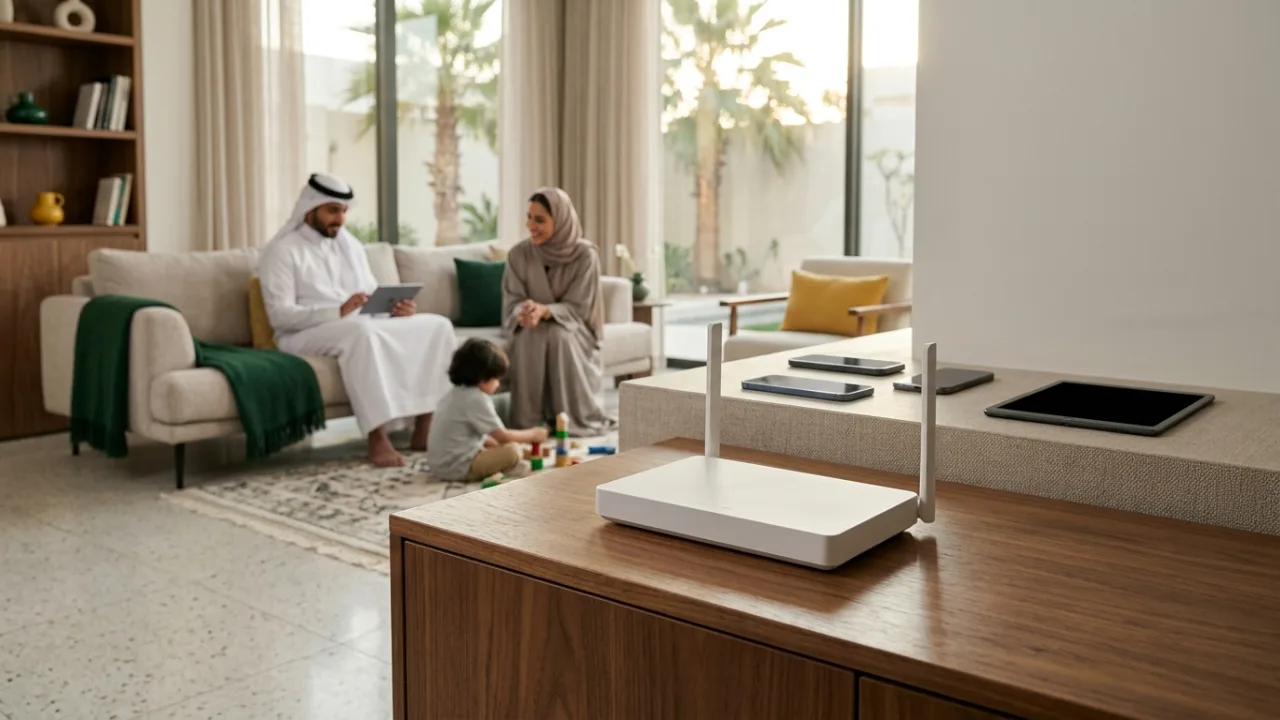
Wi-Fi 6, 6E and 7 describe different local wireless capabilities, not automatic internet speed upgrades. Your phones and laptops need compatible radios, and the actual router supplied depends on the chosen Salam plan.
Review router terms with Salam plans and check address eligibility before paying for technology you may not need.
- Defining Wi-Fi Generations: From Legacy 802.11b to Modern 802.11be
- Wi-Fi 6 (802.11ax): Spectral Efficiency and Multi-Device Household Management
- Wi-Fi 6E: Unlocking the Pristine 6 GHz Radio Frequency Frontier
- Wi-Fi 7 (802.11be): Extreme Throughput and Multi-Link Operation (MLO)
- Physical Spectrum Comparison: 2.4 GHz vs 5 GHz vs 6 GHz Frequencies
- Channel Architecture Progression: Scaling from 80 MHz to 160 MHz and 320 MHz
- Backward Compatibility Realities and Client Terminal Hardware Bottlenecks
- Mesh Architectures and Physical Ethernet Backhaul vs New Generation Radios
- Governed service provider Gateways and Saudi CST Regulatory Approvals
- Strategic Upgrade Decision Matrix: Pragmatic Upgrades vs Unnecessary Expenditure
1. Defining Wi-Fi Generations: From Legacy 802.11b to Modern 802.11be #
For decades, consumer networking protocols were identified exclusively by complex IEEE technical naming conventions: 802.11b, 802.11g, 802.11n, and 802.11ac. Recognizing that arcane engineering nomenclature hindered consumer clarity, the Wi-Fi Alliance restructured industry nomenclature in 2018 into intuitive numerical generations:
- Wi-Fi 4: Retroactively designated standard 802.11n (introduced in 2009).
- Wi-Fi 5: Formalized standard 802.11ac (introduced in 2014), establishing 5 GHz high-throughput networking.
- Wi-Fi 6: Standard 802.11ax (ratified in 2019), prioritizing spectral density and high-concurrency efficiency.
- Wi-Fi 6E: Extended 802.11ax into newly cleared 6 GHz radio spectrum (2021).
- Wi-Fi 7: Standard 802.11be (ratified in 2024), achieving extreme multi-gigabit throughput and deterministic latency controls.
The massive aggregate speed numbers printed on retail packaging (e.g., AX3000, BE19000) represent theoretical mathematical sums across all radio bands operating simultaneously in laboratory conditions. They do not represent the throughput attainable by an individual device in a real-world residential environment.
2. Wi-Fi 6 (802.11ax): Spectral Efficiency and Multi-Device Household Management #
While Wi-Fi 5 targeted raw peak speeds for single-client scenarios, the architectural focus of Wi-Fi 6 addressed the defining challenge of modern domestic connectivity: concurrent device density.
The modern smart home hosts 20 to 50 active wireless endpoints simultaneously—including smartphones, tablets, streaming players, surveillance cameras, and smart home sensors. Under older standards, routers utilized single-client transmission queues, forcing devices to wait sequentially for radio airtime. Wi-Fi 6 transformed this dynamic through four core innovations:
- OFDMA (Orthogonal Frequency-Division Multiple Access): Splits radio channels into smaller sub-carriers called Resource Units (RUs). Instead of dedicating an entire radio transmission to a single client, OFDMA bundles data for dozens of endpoints into a single transmission cycle, slashing queue latency.
- Bidirectional Multi-User MIMO (MU-MIMO): Enables the gateway to simultaneously transmit and receive multiple spatial data streams across up to eight client devices concurrently.
- Target Wake Time (TWT): Negotiates discrete, scheduled communication windows for low-power smart home appliances and mobile phones, allowing radios to remain in ultra-low-power sleep states and extending battery life by up to 30%.
- 1024-QAM Modulation: Increases raw data encoding density per radio symbol by 25% over Wi-Fi 5.
Wi-Fi 6 operates across both legacy 2.4 GHz and 5 GHz frequency bands and forms the current engineering baseline deployed across service provider FTTH optical gateways.
3. Wi-Fi 6E: Unlocking the Pristine 6 GHz Radio Frequency Frontier #
Despite the algorithmic efficiency of Wi-Fi 6, physical spectrum saturation remained a stubborn constraint. The 2.4 GHz band is polluted by Bluetooth, microwaves, and competing residential networks, while the 5 GHz band features limited contiguous spectrum and contends with aviation/radar DFS restrictions.
Wi-Fi 6E resolved this by expanding 802.11ax capabilities into an entirely new radio spectrum: the 6 GHz frequency band (5.925 GHz to 7.125 GHz).
Architectural Advantages of the 6 GHz Band: #
- Clean Spectrum Exclusivity: Legacy devices (Wi-Fi 4, Wi-Fi 5) are physically incapable of operating on 6 GHz frequencies. The band is reserved exclusively for native Wi-Fi 6E and Wi-Fi 7 client hardware, completely eliminating legacy airtime contention.
- Abundant Contiguous Channels: Provides up to seven ultra-wide 160 MHz channels without channel overlap, effortlessly passing gigabit-speed fiber subscriptions over the air.
- Physical Attenuation Trade-offs: High-frequency radio waves suffer from steeper path loss and diminished structural penetration. The 6 GHz band delivers peerless multi-gigabit speeds within the same room or line-of-sight spaces, but attenuates rapidly through thick building partitions.
4. Wi-Fi 7 (802.11be): Extreme Throughput and Multi-Link Operation (MLO) #
Wi-Fi 7 represents the most consequential architectural leap in wireless networking in over a decade, engineered specifically to support next-generation workloads: uncompressed 8K video streaming, cloud-tethered virtual and augmented reality (VR/XR), and deterministic esports gaming.
Key technical pillars of Wi-Fi 7 include:
- Multi-Link Operation (MLO): Historically, client devices associated with a single frequency band at a time (e.g., exclusively 5 GHz). If that band experienced localized interference, latency spiked. Wi-Fi 7 MLO enables client hardware to establish simultaneous active links across multiple bands (e.g., 5 GHz and 6 GHz simultaneously). The gateway can aggregate throughput across both bands or dynamically route time-sensitive gaming packets over whichever link is instantly clear, achieving wired-like latency determinism.
- 320 MHz Channel Widths: Doubles the maximum channel bandwidth on the 6 GHz band from 160 MHz to 320 MHz, immediately doubling raw air-interface capacity.
- 4096-QAM (4K-QAM): Encodes 12 bits per symbol (compared to 10 bits in 1024-QAM), providing an immediate 20% throughput uplift for clients operating near the router.
- Preamble Puncturing: In prior standards, if narrow-band interference compromised a 20 MHz slice of a 160 MHz channel, the entire channel fell back to 80 MHz. Wi-Fi 7 isolates the punctured segment, allowing remaining spectrum to transmit unimpeded.
5. Physical Spectrum Comparison: 2.4 GHz vs 5 GHz vs 6 GHz Frequencies #
Evaluating domestic performance requires understanding the physical radio properties of each distinct transmission band:
| Frequency Band | Range and Wall Penetration | Throughput Capacity | Interference and Airtime Contention | Supported Generations |
|---|---|---|---|---|
| 2.4 GHz | Superior (passes through multiple structural walls) | Modest (nominal 300–600 Mbps, real-world 50–120 Mbps) | Severe (crowded by Bluetooth, microwaves, neighbors) | Wi-Fi 4, 6, 7 |
| 5 GHz | Balanced (penetrates 1–2 residential interior walls) | High (real-world 400–900 Mbps) | Moderate (manageable with proper channel selection) | Wi-Fi 5, 6, 7 |
| 6 GHz | Restricted (steep attenuation through building materials) | Extreme (1.5 to 3+ Gbps real-world wireless throughput) | Negligible (exclusive, pristine spectrum for modern clients) | Wi-Fi 6E, 7 |
Higher frequencies exchange physical propagation distance for immense data carrying capacity. A 6 GHz Wi-Fi 7 transmission will not penetrate through external reinforced concrete into a detached garden annex.
6. Channel Architecture Progression: Scaling from 80 MHz to 160 MHz and 320 MHz #
Channel width dictates the data capacity of the over-the-air pipeline, functioning like adding extra lanes to an expressway:
- 20 and 40 MHz Channels: Standard in 2.4 GHz deployment; ideal for low-power IoT appliances, smart plugs, and extended outdoor perimeter coverage where reliability matters far more than raw speed.
- 80 MHz Channels: The default baseline across 5 GHz networks in Wi-Fi 5 and Wi-Fi 6; yields 400 to 600 Mbps real-world throughput with dependable multi-room stability and minimal radar channel interruption.
- 160 MHz Channels: Supported in Wi-Fi 6, 6E, and 7; fully unlocks gigabit fiber throughput wirelessly (800 to 1,200 Mbps in the same room) under clean radio conditions, though on 5 GHz it often requires contiguous Dynamic Frequency Selection (DFS) spectrum.
- 320 MHz Channels: Exclusive to Wi-Fi 7 in the 6 GHz band; enables multi-gigabit wireless delivery exceeding 2.5 Gbps for specialized high-throughput workstations, local NAS video editing, and uncompressed VR headsets.
7. Backward Compatibility Realities and Client Terminal Hardware Bottlenecks #
A fundamental reality of wireless networking is that connection performance is governed by the capabilities of the lowest-tier endpoint in the communication loop:
- Bidirectional Protocol Negotiation: Communication is a two-way handshake; both the gateway and the client terminal must support matching radio protocols to unlock advanced generational features.
- Legacy Client Fallback: Connecting a legacy Wi-Fi 5 smartphone or smart TV to a cutting-edge Wi-Fi 7 router forces that specific link to operate strictly under legacy Wi-Fi 5 rules. The older device cannot access 6 GHz frequencies, cannot utilize Multi-Link Operation (MLO), and cannot negotiate 320 MHz channels.
- Client Antenna Array Limits (2x2 MIMO): Even modern flagship smartphones and ultrabooks typically incorporate 2x2 MIMO antenna arrays to conserve battery life and internal chassis space. Consequently, a single phone will never achieve the headline aggregate speed printed on a router box (which assumes 4x4 or 8x8 streams running simultaneously across all bands).
8. Mesh Architectures and Physical Ethernet Backhaul vs New Generation Radios #
A common misconception is that purchasing an expensive standalone Wi-Fi 7 router will eliminate dead zones across large multi-story residential villas. From an engineering standpoint, this is fundamentally flawed:
- Regulatory Power Constraints (EIRP): Spectrum regulators worldwide enforce strict equivalent isotropically radiated power (EIRP) limits to ensure electromagnetic safety and prevent cross-property interference. A Wi-Fi 7 gateway emits the exact same legally permitted signal power as a Wi-Fi 6 gateway.
- Saudi Structural Architecture: Residential villas in Riyadh, Jeddah, and the Eastern Province utilize dense reinforced concrete slabs, steel rebar columns, and solid masonry blocks that severely attenuate high-frequency radio waves regardless of whether the packet is formatted as Wi-Fi 6 or Wi-Fi 7.
- Ethernet and FTTR Backhaul Primacy: A distributed multi-node mesh system running Wi-Fi 6 interconnected via physical Cat6 Ethernet cabling or Fiber-to-the-Room (FTTR) transparent optical micro-cables will outperform a standalone Wi-Fi 7 router in every remote living space, upstairs bedroom, and exterior majlis.
9. Governed service provider Gateways and Saudi CST Regulatory Approvals #
All wireless telecommunications equipment distributed in Saudi Arabia operates under the regulatory jurisdiction of the Communications, Space and Technology Commission (CST):
- Saudi Spectrum Leadership: Saudi Arabia was among the first global economies to clear the full 1200 MHz allocation of the 6 GHz spectrum band (5925–7125 MHz) for license-exempt indoor Wi-Fi deployment, establishing an advanced ecosystem for Wi-Fi 6E and Wi-Fi 7 hardware.
- Compliant Carrier Equipment: Residential Salam Fiber and HomeFi 5G subscriptions include CST-certified gateways engineered to work reliably with the underlying access network. Standard residential packages typically supply dual-band Wi-Fi 6 hardware capable of delivering everyday family streaming, gaming, and remote work speeds, while exact device models should always be confirmed on the packages page prior to ordering.
Engineering Comparison Matrix: Wi-Fi 5 vs Wi-Fi 6 vs Wi-Fi 6E vs Wi-Fi 7 #
| Technical Dimension | Wi-Fi 5 (802.11ac) | Wi-Fi 6 (802.11ax) | Wi-Fi 6E (802.11ax 6 GHz) | Wi-Fi 7 (802.11be) |
|---|---|---|---|---|
| Supported Frequency Bands | 5 GHz (legacy 2.4 GHz separate) | 2.4 GHz + 5 GHz | 2.4 GHz + 5 GHz + 6 GHz | 2.4 GHz + 5 GHz + 6 GHz |
| Maximum Channel Width | 80 MHz (160 MHz rare) | 160 MHz | 160 MHz on 6 GHz | 320 MHz on 6 GHz |
| Peak QAM Modulation | 256-QAM | 1024-QAM | 1024-QAM | 4096-QAM (4K-QAM) |
| Multi-Link Operation (MLO) | Not supported | Not supported | Not supported | Supported (simultaneous multi-band aggregation) |
| Best Fit in Saudi Homes | Basic flats and light browsing | Standard balanced choice for most homes | Dense apartment buildings with 6E clients | Multi-gigabit enthusiasts and local NAS workflows |
10. Strategic Upgrade Decision Matrix: Pragmatic Upgrades vs Unnecessary Expenditure #
To assist consumers in making technically sound, economically rational investments, we summarize the upgrade decision criteria:
Upgrading to Wi-Fi 6E or Wi-Fi 7 is technically justified if: #
- You currently operate flagship client hardware featuring native Wi-Fi 6E or Wi-Fi 7 modems (such as recent flagship smartphones, high-end gaming motherboards, or workstations equipped with Wi-Fi 7 network cards).
- You live in a high-density urban apartment building where 2.4 GHz and 5 GHz spectrum is heavily congested by neighboring routers, making the clean 6 GHz band valuable for same-room performance.
- You subscribe to a high-speed Fiber Broadband (FTTH) tier (500 Mbps or 1 Gbps) and regularly perform massive local file transfers between desktop machines and network-attached storage (NAS) or use wireless PC-VR headsets.
Upgrading is unnecessary expenditure if: #
- Your primary frustration is weak signal or dead zones in upstairs bedrooms or the majlis; the engineering solution is adding wired access points, Ethernet-backhauled Mesh nodes, or FTTR rather than buying a pricier single router.
- Your household devices are predominantly Wi-Fi 5 or standard dual-band Wi-Fi 6 endpoints.
- You subscribe to a 100 to 300 Mbps broadband plan that is already delivered at full speed by your existing Wi-Fi 6 router; a newer Wi-Fi generation cannot increase the external line speed provisioned by your operator.
Frequently Asked Questions on Wi-Fi 6, 6E, and 7 #
Will my older phones, smart TVs, and smart plugs still work on a Wi-Fi 6 or Wi-Fi 7 router? #
Yes. Every certified Wi-Fi 6, 6E, and 7 router maintains backward compatibility with older Wi-Fi 4 and Wi-Fi 5 devices on the 2.4 GHz and 5 GHz bands. Your older devices will connect normally at their native maximum speeds, while newer devices take advantage of the newer scheduling features.
How can I tell whether slow internet at home is caused by my Wi-Fi generation or my broadband package? #
Stand in the same room as your router or connect a laptop directly via a Cat6 Ethernet cable and run a speed test. If you receive the full speed of your plan next to the router but experience buffering in distant rooms, your internet line is healthy and you simply need better indoor Wi-Fi distribution. If your connection slows down even over Ethernet when multiple family members are online together, use the package comparison tool or plan recommender to evaluate a higher-capacity tier.
Does a Wi-Fi 7 router penetrate reinforced concrete walls better than a Wi-Fi 6 router? #
No. Wall penetration is governed by electromagnetic frequency and CST legal transmission power limits (EIRP), not by the Wi-Fi generation number. Because the 6 GHz band uses shorter wavelengths than 2.4 GHz and 5 GHz, it actually attenuates faster through concrete walls and is intended for high-speed coverage in the same room or open space.
Does Wi-Fi 6 matter if I subscribe to a HomeFi 5G wireless plan instead of Fiber? #
Yes. On a HomeFi 5G gateway, Wi-Fi 6 OFDMA and MU-MIMO scheduling help distribute your cellular broadband connection smoothly across dozens of active family phones, smart TVs, and laptops without local router queuing bottlenecks.
Strategic Summary and Operational Recommendations #
Wi-Fi generations represent valuable technical enhancements, but they operate within the immutable boundaries of physical wave propagation and hardware compatibility. A properly positioned, carrier-grade Wi-Fi 6 gateway remains a reliable, cost-effective solution for the vast majority of households today.
Prioritize foundational network architecture: central router placement, dedicated Cat6 cabling for primary gaming and workstations, and a high-reliability optical fiber or 5G plan selected through Tayf Connect.
Internal links #
- /compare — Compare Fiber Broadband (FTTH) and 5G package hardware specifications
- /knowledge/streaming-many-devices-home-internet — Multi-device bandwidth management guide (K07)
- /knowledge/router-placement-home-wifi — Router placement and coverage optimization (K05)
- /knowledge/fttr-whole-home-connectivity — FTTR whole-home optical fiber connectivity (K11)
/how-it-works— Understand installation workflows and hardware deployment
Editorial source review #
All wireless standards, technical specifications, and regulatory frameworks are validated against official IEEE 802.11 standards documentation, Wi-Fi Alliance certification guidelines, and Saudi CST spectrum allocation policies. Authored and reviewed by the Tayf Connect technical desk.